Sort clusters and switch between card and list views
If you manage a lot of clusters, you can now sort the Clusters page alphabetically and switch between the existing card layout and a new list view, making it much easier to find the right cluster without scanning a creation-ordered list.
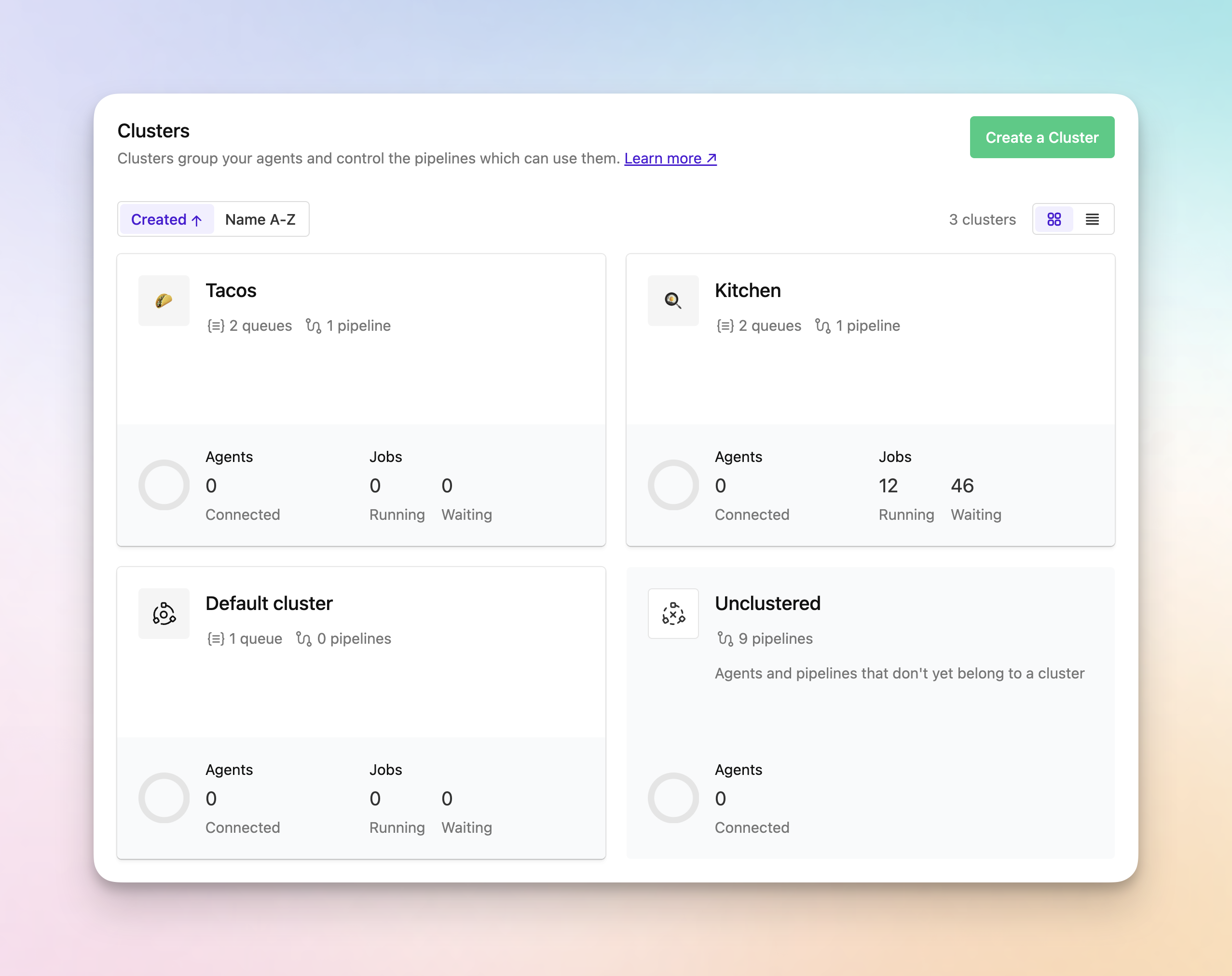
- Sort by created date or name: Use the new sort controls to keep the default created-date ordering or switch to an alphabetical view when you need to find a cluster quickly.
- Switch between card and list views: Toggle between the familiar card layout and a new table view depending on how you prefer to scan cluster information.
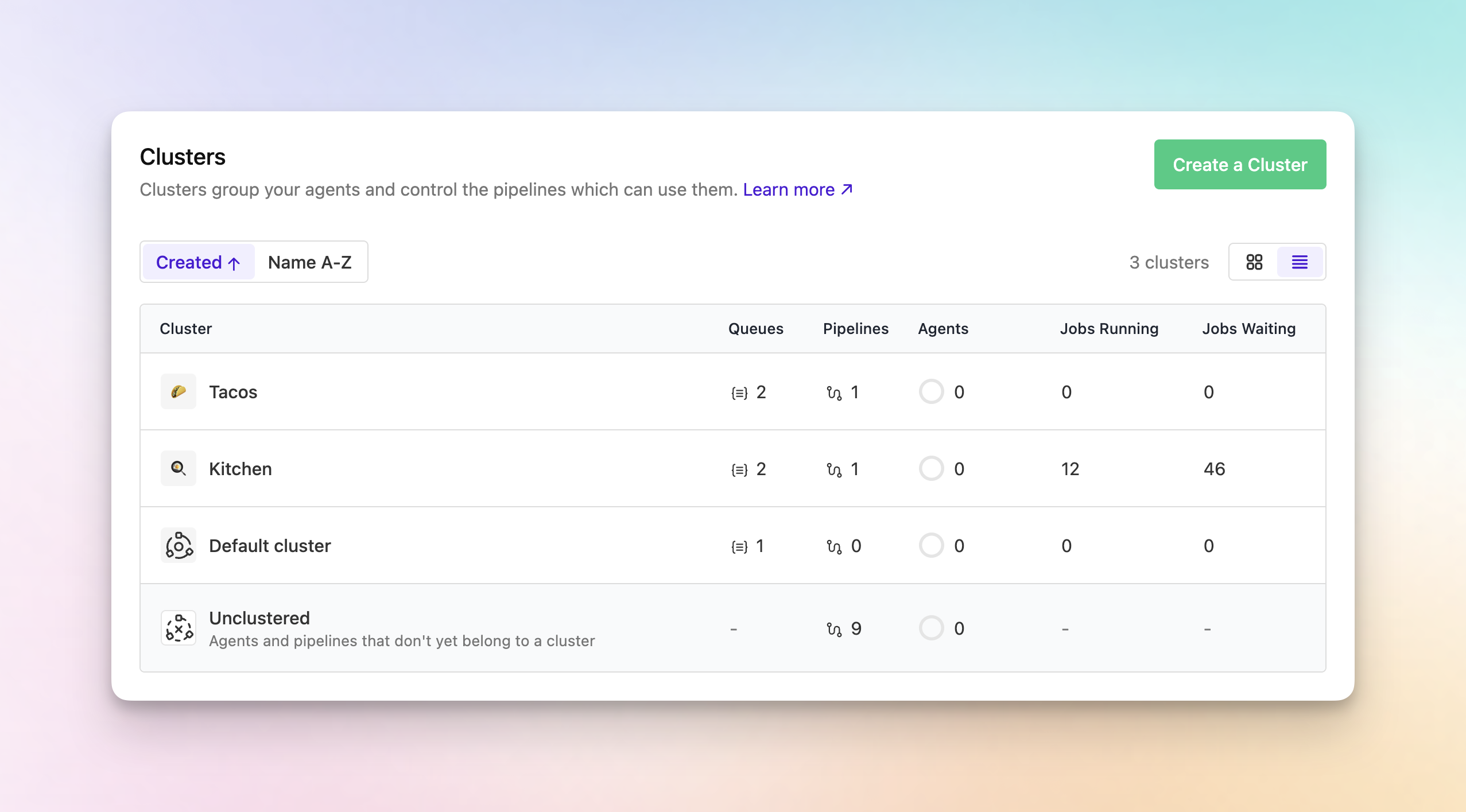
- See more data in one place: The new list view shows cluster name, queues, pipelines, description, connected agents, running jobs, and waiting jobs in a sortable table that's easier to scan at scale.
- Keep your view during refreshes: Your selected sort and view settings are preserved during the page's automatic refresh.
Chris
You deserve better CI.
Get started for free with a full month of our all-access trial.